If your event collects fees from attendees, once a registration is successfully completed the platform will automatically send a Statement email detailing the various fees, discounts, taxes and payments.
The Statement email template can be found under the Email menu:
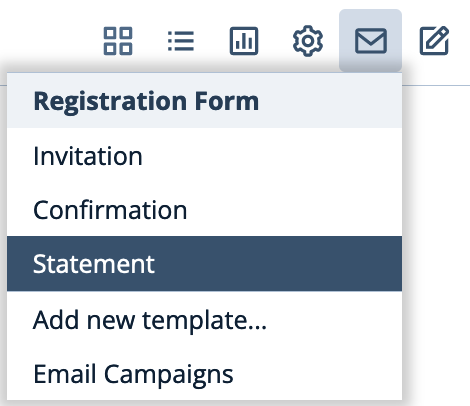
There is only one Statement email template but it can be configured to show different content using widgets and rules that control visibility.
The Statement Widget
Because the "Statement" widget must be placed on the Statement template in order to render the detailed statement of purchases, discounts, taxes and payments the system automatically places the widget on the email:

If you accidentally delete this widget you must replace it by dragging a replacement Statement widget from the left palette.
Configuring Email Header Details
You are able to configure the following information related to the Statement Email by clicking the edit icon in the mail header:
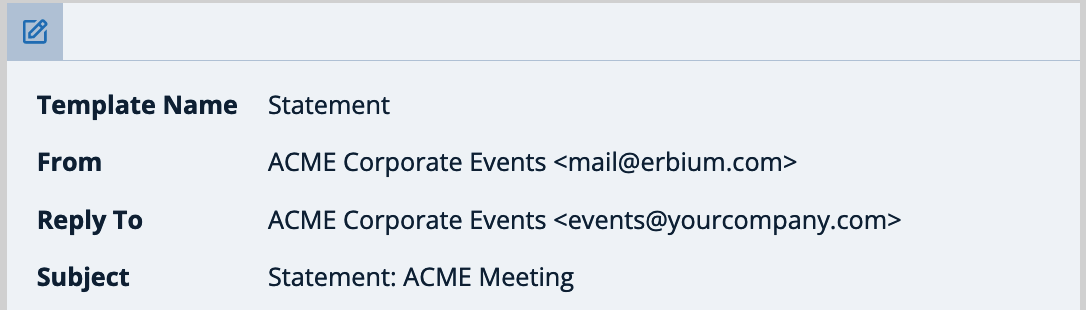
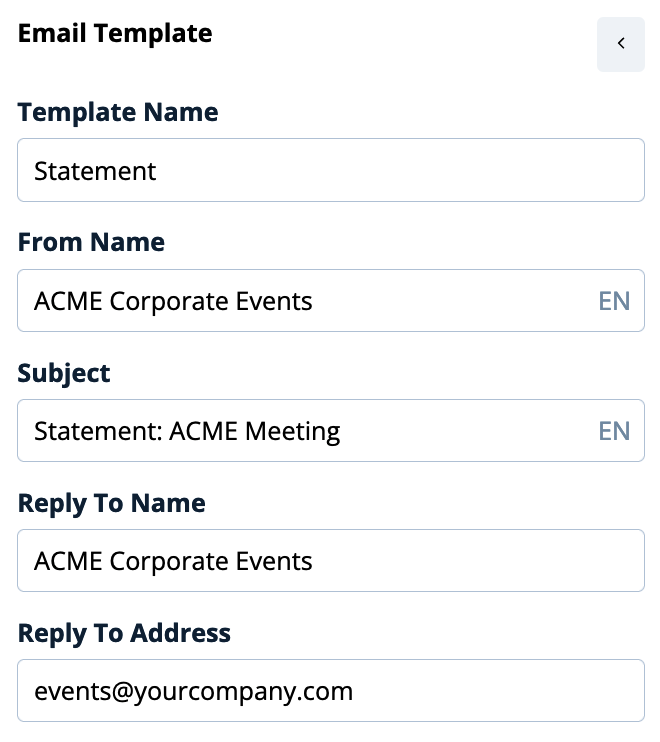
From Name: The name displayed in the From field
Subject: The Subject of the email
Reply To Name: The name displayed should the recipient replies to the email
Reply To Address: The email address to which a reply will be delivered
Why Can't I Configure the From Email Address?
Form standard accounts, we prohibit changing the from-email address because emails are sent from the Erbium platform mail servers. Changing the from email address is a "red-flag" for spam filters and your email will likely become un-deliverable. It will also impact our sender reputation. Enterprise clients contact us to discuss email integration capabilities.
Comments
0 comments
Article is closed for comments.