Filters provide you with a powerful way to understand your data and create actionable information by including, or excluding, records that meet your specific criteria.
Filter Types
There are two types of filters:
- Standard Filters - pre-configured lists filtered for standard criteria
- Custom Filters - lists that you filter to meet your own criteria
Standard Filtered Lists
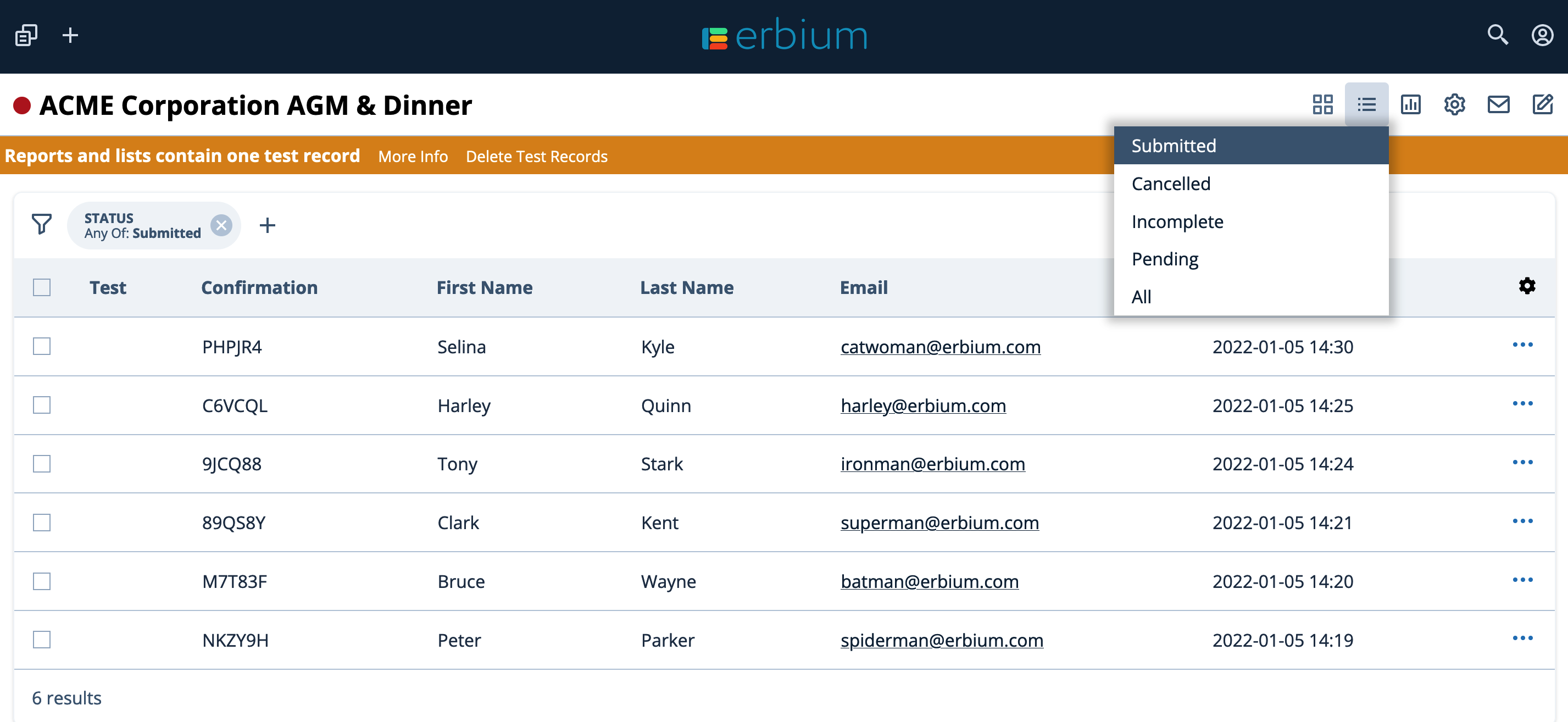
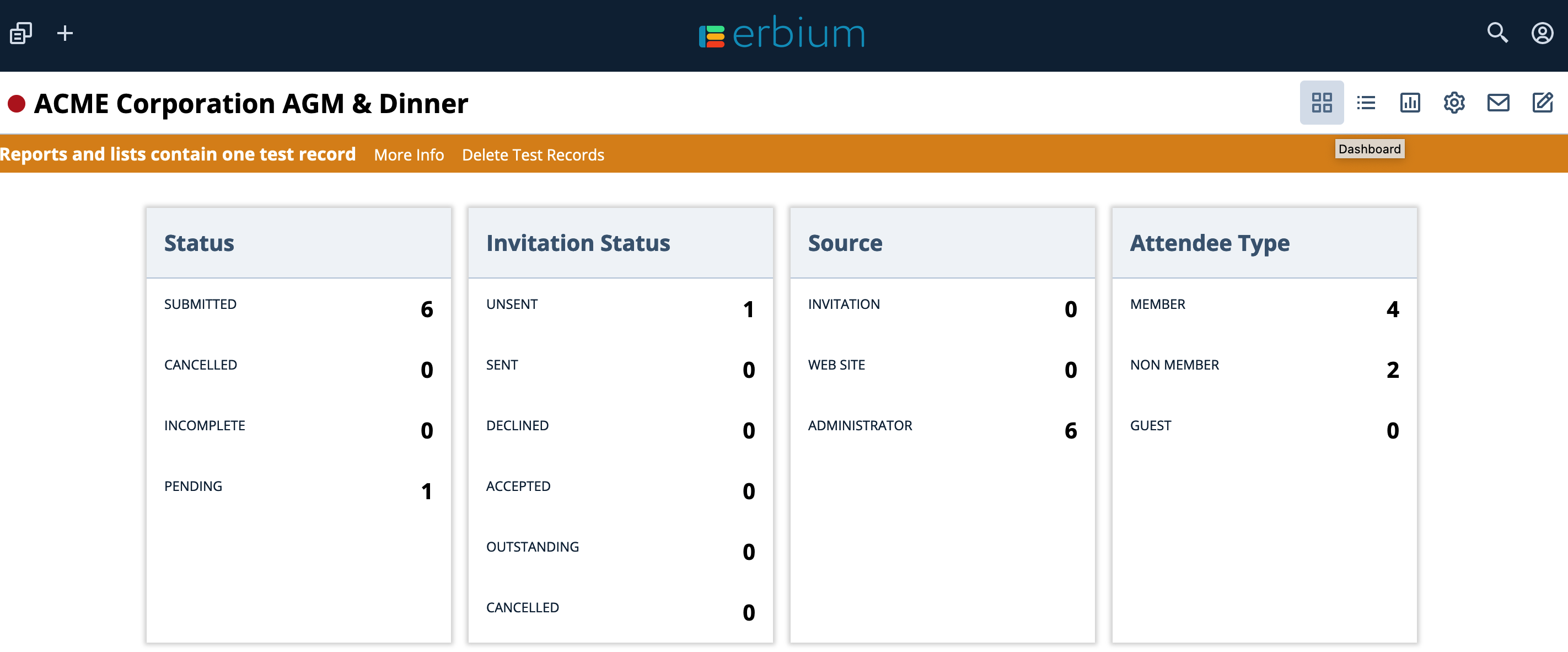
Standard filters are accessed from the Lists menu or the Dashboard. These include:
- "Submitted" - records for completed primary form submissions
- "Cancelled" - records for previously completed submission that have been cancelled
- "Incomplete" - records that are partially complete or abandoned during completion
- "Pending" - records that illustrate invitations have been issued but remain outstanding
Accessing Standard Filters from the Menu
Click the Lists menu icon to select a standard filtered list:
Accessing Standard Filters from the Dashboard
Click the Dashboard menu icon then select one of the hyperlinked numbers to produce a standard filtered list:
Custom Filtered Lists
The Filter Bar
The "Filter Bar" can be found at the top of any filtered list.
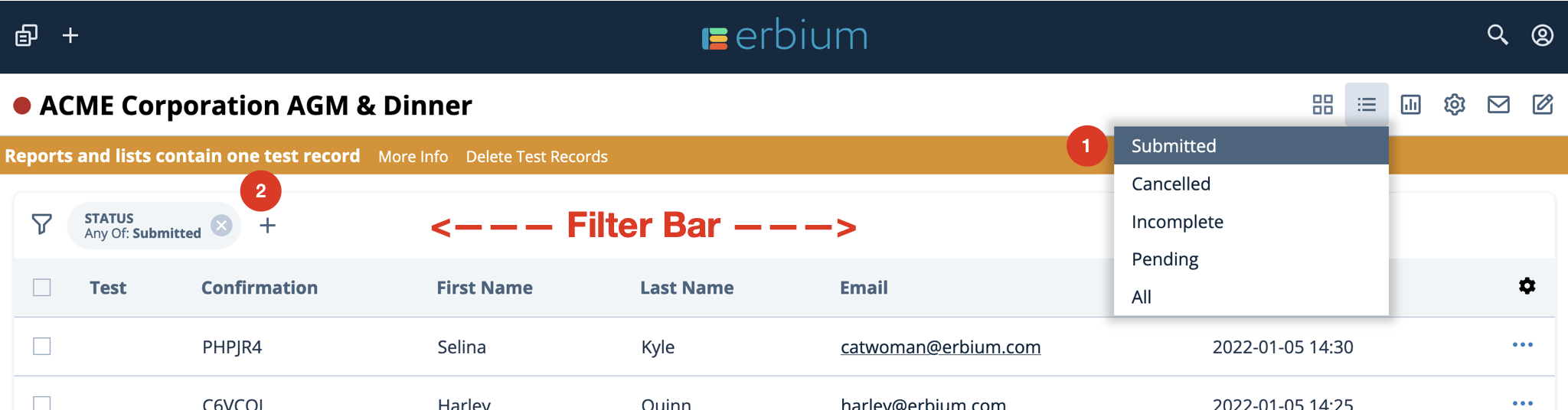
- Selecting the "Submitted" standard feature produces a filtered list based upon the criteria "Status {any of} Submitted"
- The Filter Bar illustrates the criteria
Importantly, the Filter Bar enables you to edit the current filter to produce lists based on your desired custom criteria.
Define Custom Criteria
When defining custom criteria, often the best practice is to leverage an existing filter. In this example, begin with the Submitted list.
- Enhance the existing criteria. Click the "+" sign to add an additional criteria.
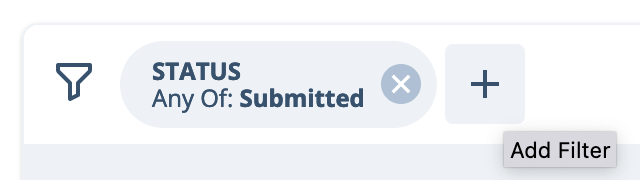
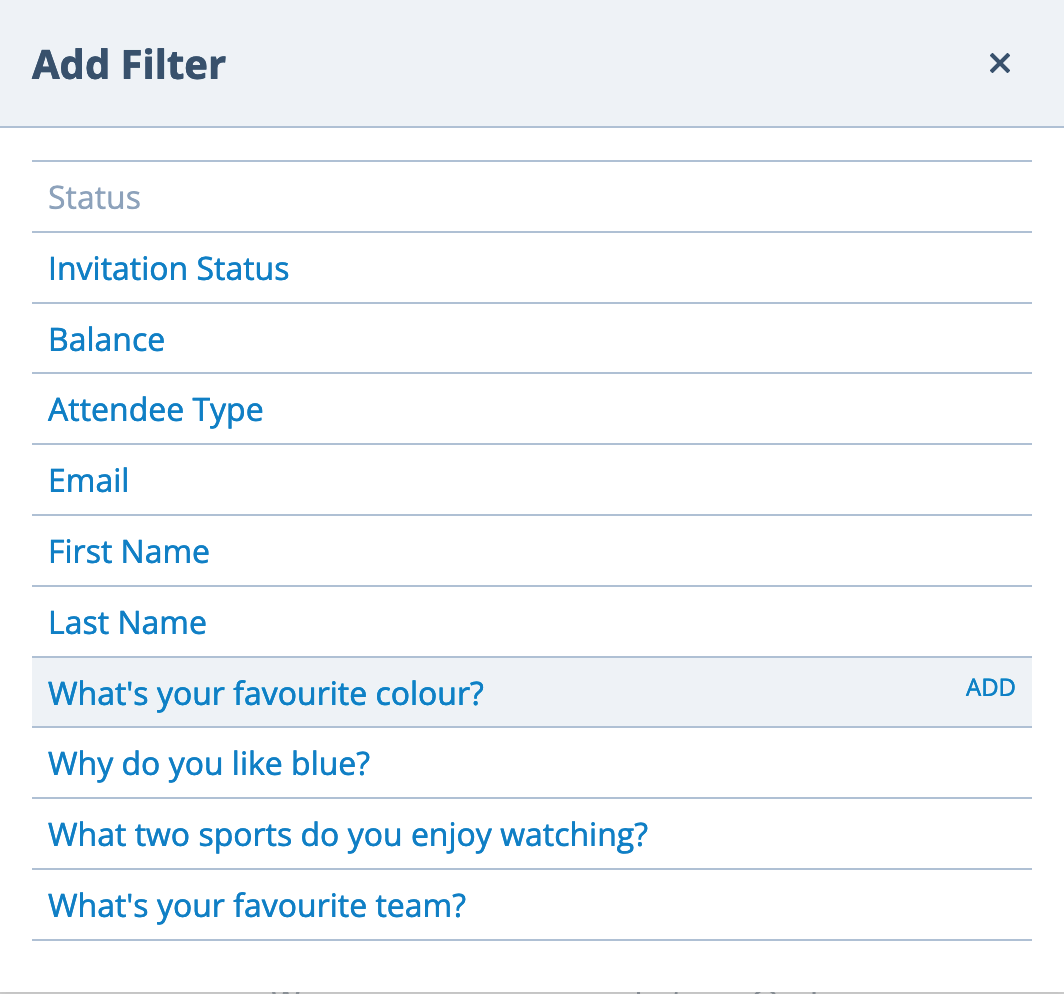
- Select the filter you want to add. In this example we will add a filter for "What's your favourite colour" by clicking the appropriate row:
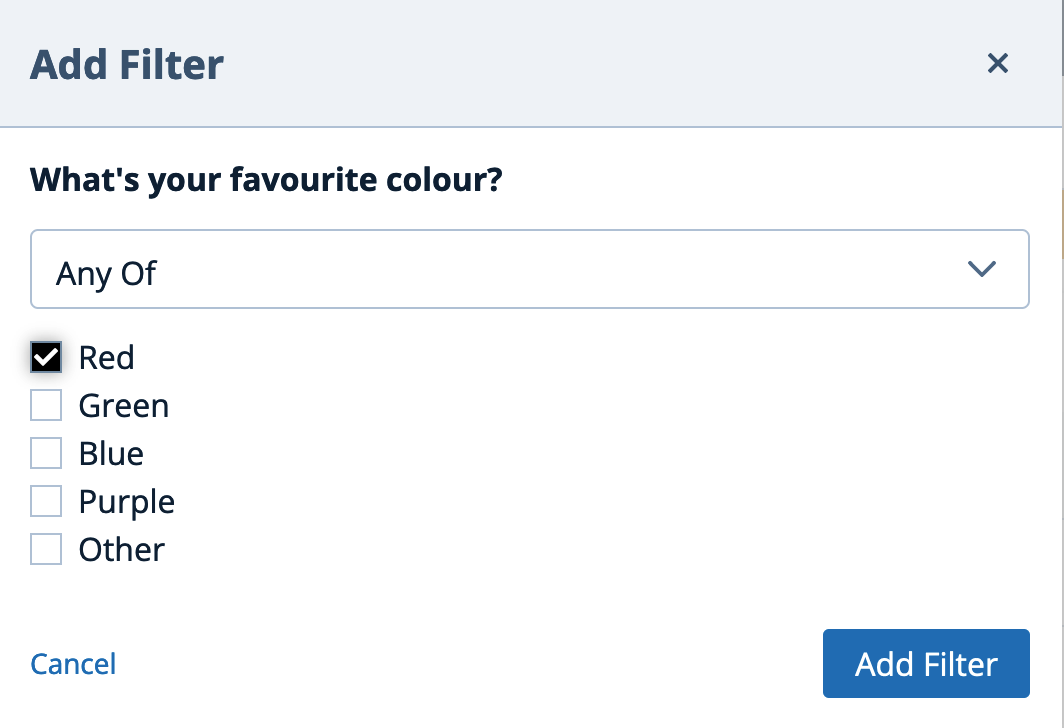
- Define the filter by selecting the appropriate criteria and clicking "Add Filter". For this example the criteria is "Red":
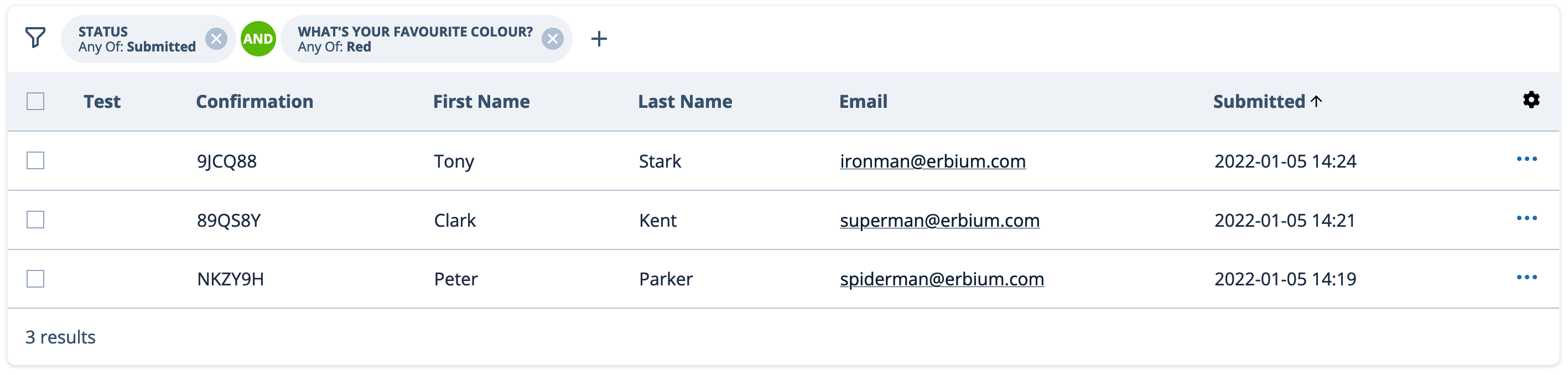
- The Filter Bar is now modified to illustrate the new filter and the resultant list contains only records that match that criteria. This example illustrates the 3 records that meet the criteria "Status: Submitted AND Favourite Colour: Red"
Comments
0 comments
Article is closed for comments.