The Erbium platform supports registration in multiple languages (currently English and French - although more will be added soon!)
We describe our multi-lingual capabilities as dynamic since a registrant can toggle back and forth throughout registration without any loss of data and registration forms accommodate the preferred language settings from the registrant browser wherever possible.
The Erbium platform supports multilingualism in all aspects of the registration experience:
- Invitee records
- Email templates
- Registration forms
- Micro web sites
- Feedback surveys
Activating a registration language
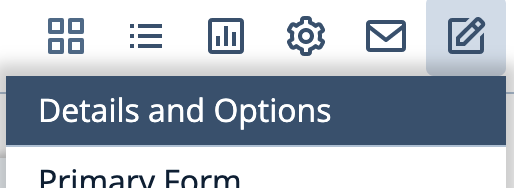
Step 1: Within your event, on the Setup menu select Details and Options:
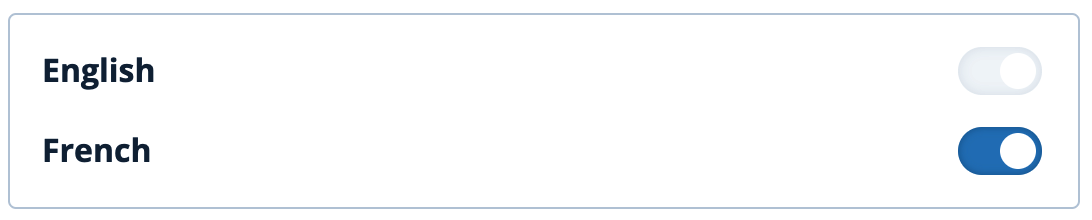
Step 2: In the Options panel toggle the desired language to the 'on' position.
The example below indicates the default English and French switched 'on'.
Note: Currently the platform provides a default language is English with a second language of French. We are working towards enabling a default of French and/or single language registrations that do not require an English equivalent.
Once a language has been enabled for an event the platform will enable a registration experience in the languages selected. This includes:
- Design elements such as form header and footer graphics etc. (learn more)
- Registration and feedback form content such as widgets, text etc (learn more)
- Email templates (learn more)
- Preferred languages for invitee and/or attendee records
- Web site content
Comments
0 comments
Article is closed for comments.