Scenario 1 - One Primary type, no Guests allowed
A planner is organizing an event with only one type of attendee.
Since no differentiation is required there is no need to configure Attendee Types. Under this scenario there is no requirement to configure Attendee Types and therefore no need to place an Attendee type widget on the Form.
Scenario 2 - Three Primary Registrant Attendee types, no Guests allowed
A planner is configuring an event that has three primary types of Attendee:
- Corporate Executive
- Client
- Supplier
None of the primary Attendee Types is allowed to bring a guest.
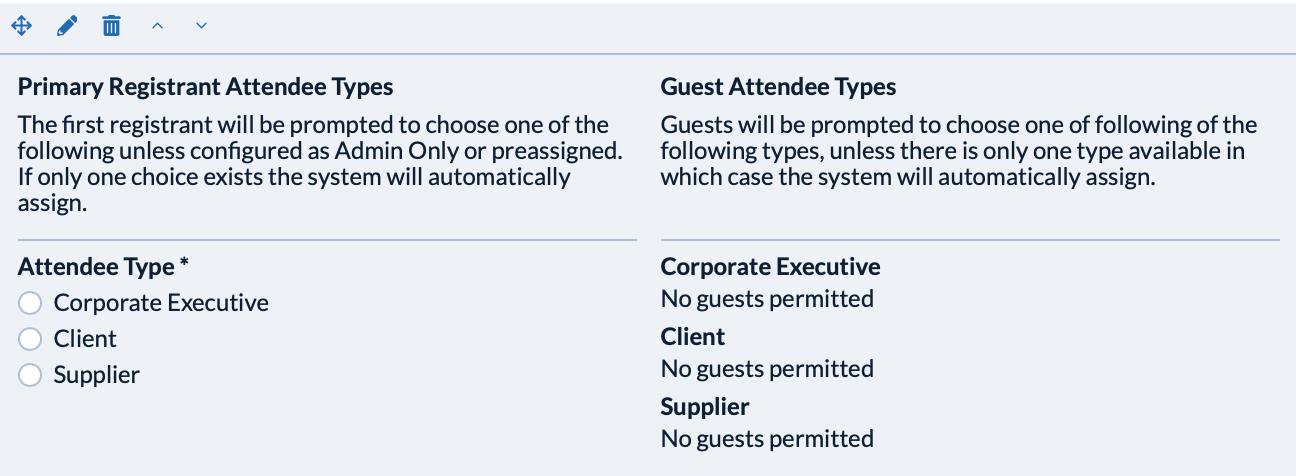
Under this scenario only Primary Registrant Attendee Types must be configured.
Step 1. Drag the Attendee Type widget onto the form. The widget will appear as:
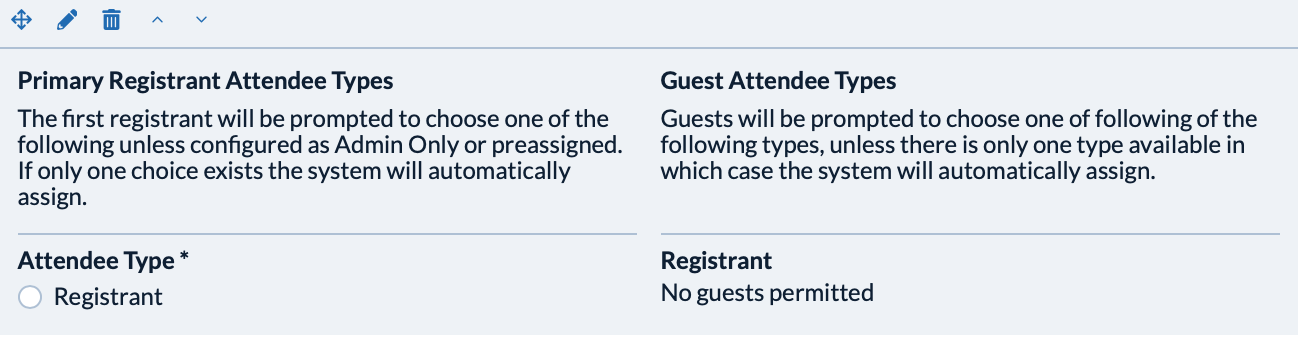
Step 2. Edit the first Attendee Type from 'Registrant' to 'Corporate Executive'
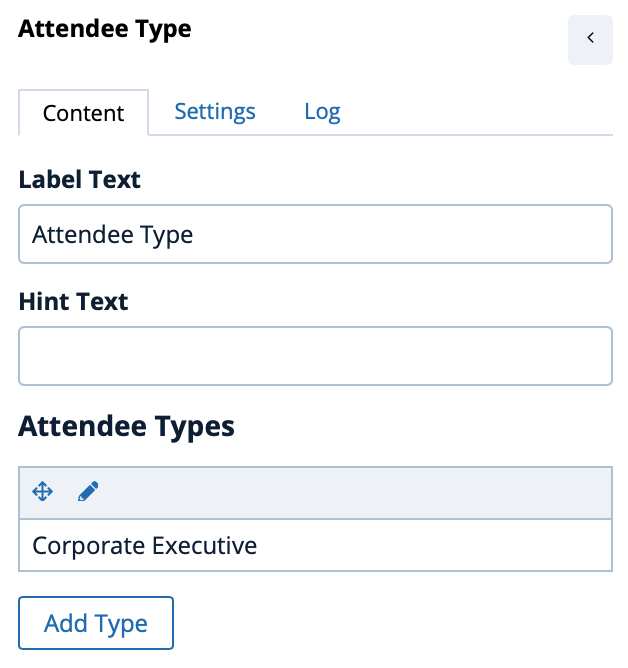
Step 3. Add two more Attendee Types, one each for 'Client' and 'Supplier' ensuring each Attendee Type is configured as 'Primary Registrant Attendee Type' on the Settings tab for each individual type.
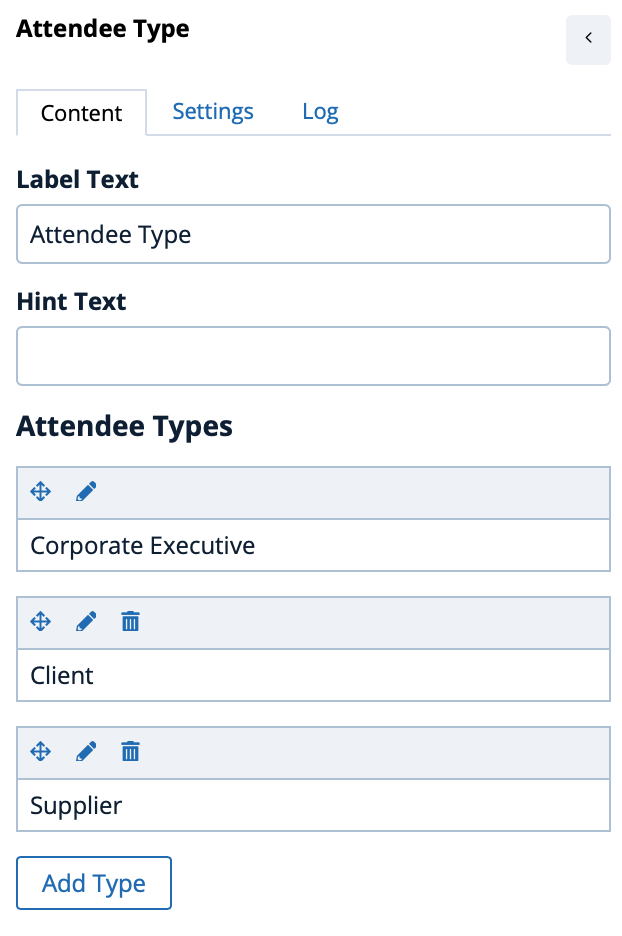
Step 4. Review the Attendee Type widget to ensure the configuration illustrates the three Primary Registrant Attendee Types and no permitted guests:
Scenario 3 -Three Primary Registrant Attendee Types, Guests are allowed for one Primary type
A planner is configuring a corporate sales event that has three primary types of Attendee:
- Corporate Executive
- Client
- Supplier
The planner has determined that the 'Client' types are allowed to bring family members as guests and the planner wants to limit the family to one Spouse and three Children
Under this scenario both Primary Registrant Attendee Types and Guest Attendee Types must be configured.
Step 1. Drag the Attendee Type widget onto the form. The widget will appear as:
Step 2. Edit the first Attendee Type from 'Registrant' to 'Corporate Executive'
Step 3. Add two more Attendee Types, one each for 'Client' and 'Supplier' ensuring each Attendee Type is configured as 'Primary Registrant Attendee Type' on the Settings tab for each individual type.
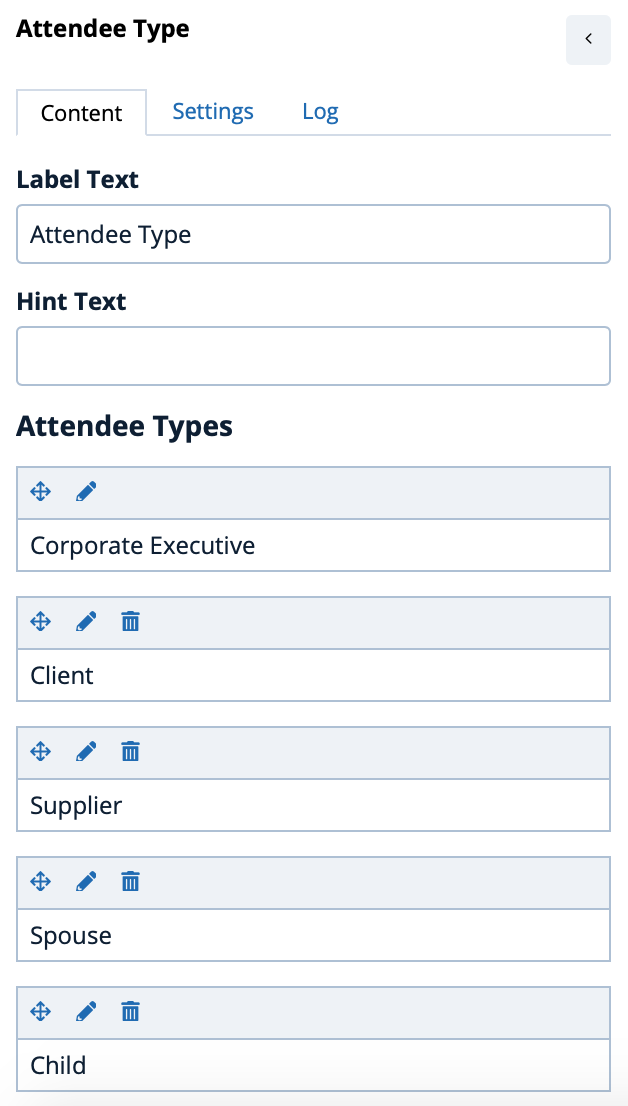
Step 4. Add two Guest Attendee Types, one each for 'Spouse' and 'Child' ensuring each Guest Attendee Type is NOT configured as 'Primary Registrant Attendee Type' on the Settings tab for each individual type.
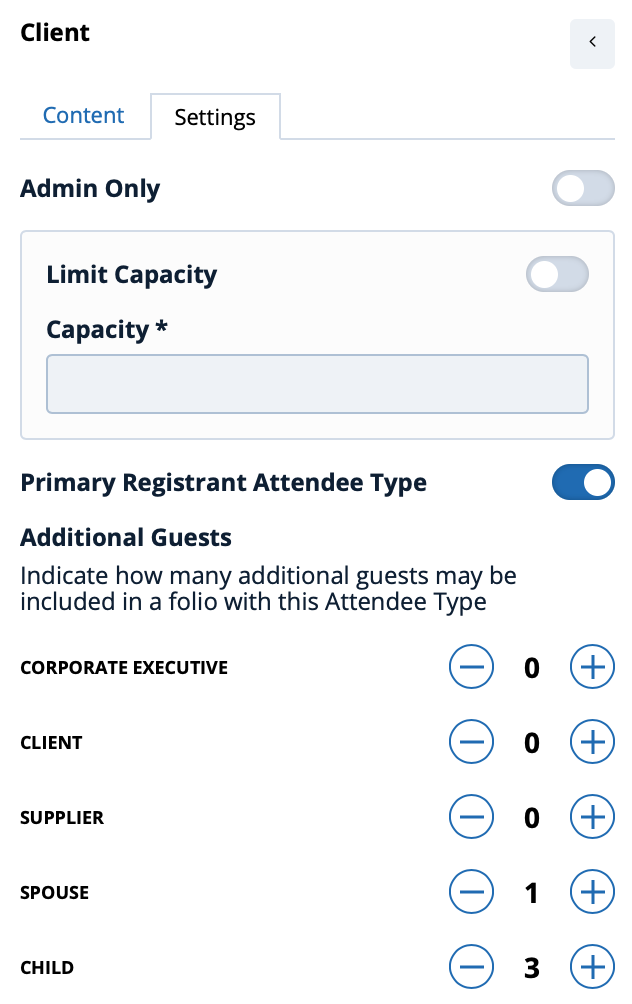
Step 5. Click on the edit icon (  ) for the 'Client' Attendee Type and configure the permitted guests. In this scenario Client is permitted to bring 1 spouse and up to 3 children
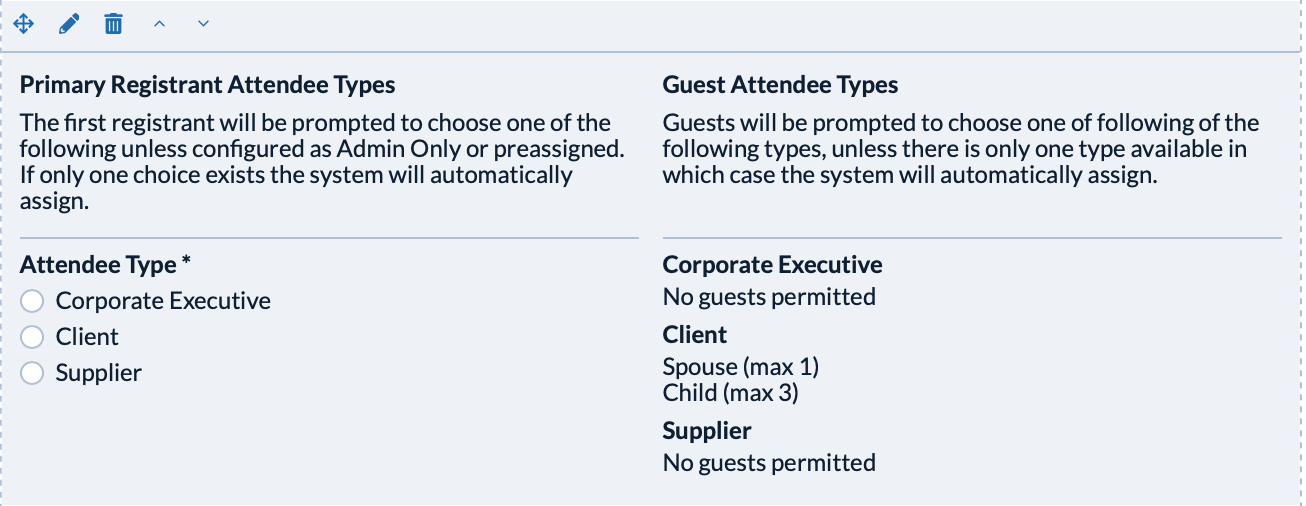
Step 6. Review the Attendee Type widget to ensure the configuration illustrates the three Primary Registrant Attendee Types and the permitted Guests available to the Client attendee type:
Comments
0 comments
Article is closed for comments.