Introduction
There are two primary steps in creating a form, an email template or a website:
- Build - adding and configuring content in the form of widgets.
- Design - configuring the creative aspects such as fonts, colors, header graphics
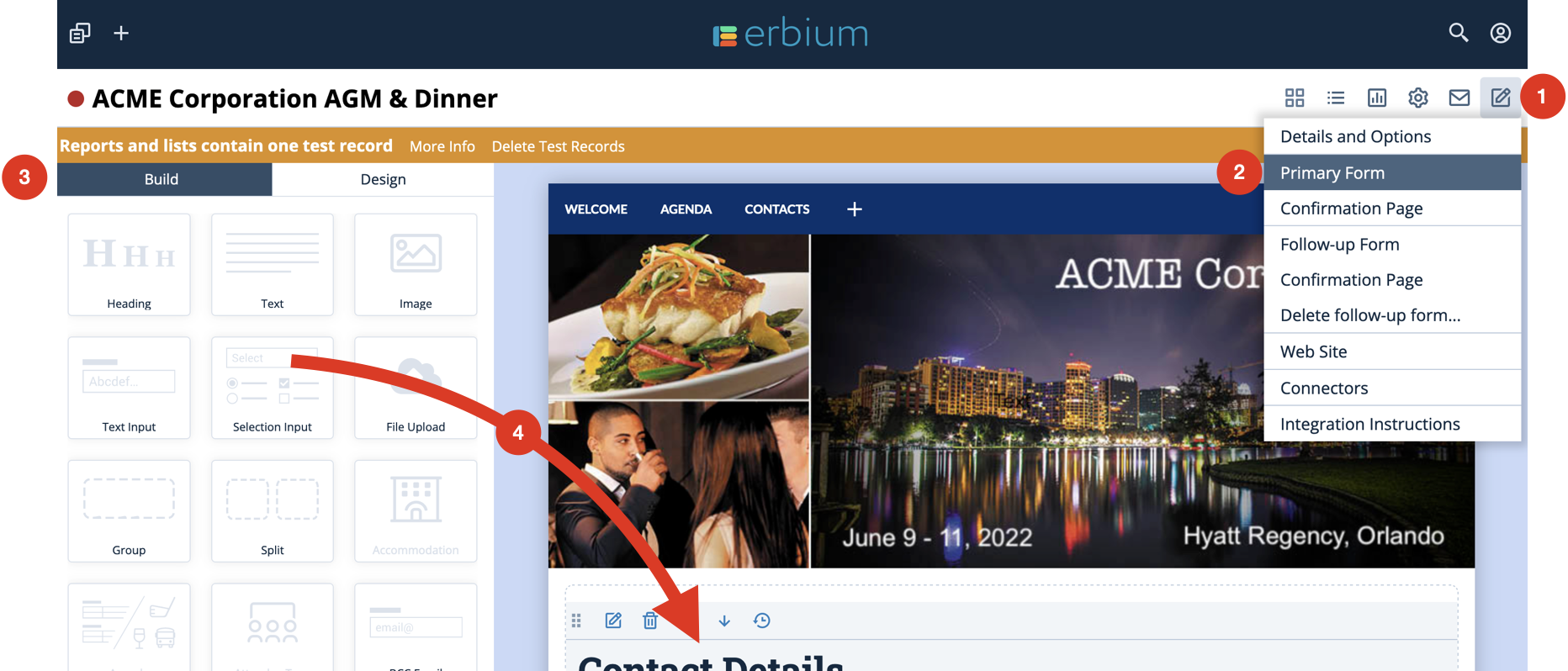
The "Build"
To access both the "Build" or "Design" features you must first select the component that you want to build, configure or design.
- Click on the edit icon from the menu
- Select the appropriate component. In this example the "Primary Form". For the purposes of "Build" or "Design" you could also select "Confirmation Page" or "Follow-Up Form"
- The widgets used to configure the form can be found in the left panel under the "Build" tab
- Drag and drop widgets onto the editor panel.
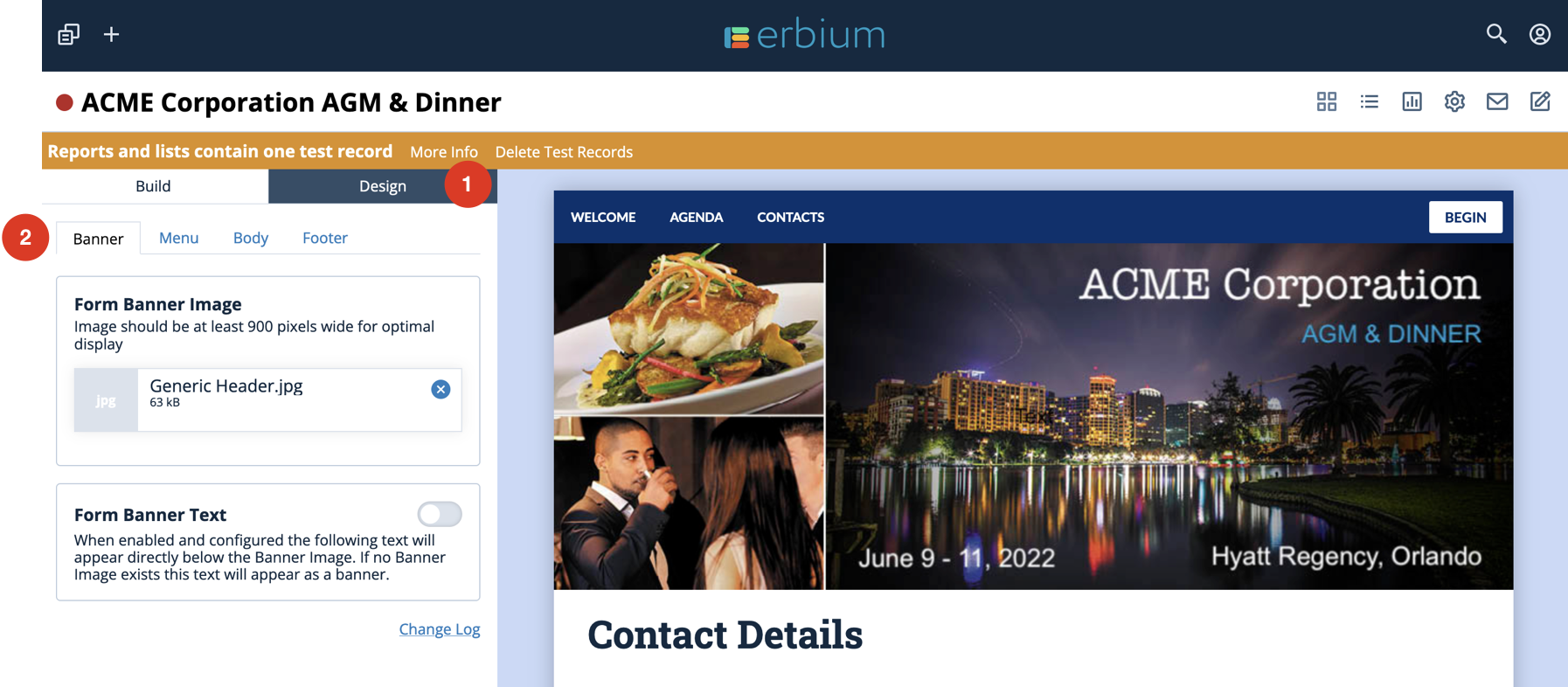
The "Design"
- To access the "Design" features click on the "Design" tab
- Navigate through the Design tabs so configure simple functions to apply design elements to the Banner, Body, Web Site Menu and Footer
Comments
0 comments
Article is closed for comments.