This article explains how to connect the ERBIUM Platform to your ORACLE Eloqua Marketing Automation Platform
Before You Begin
Obtain the credentials for the dedicated ORACLE Eloqua user account assigned to your team or the ERBIUM platform. It is important that the credentials are for an Eloqua account that meets the following conditions:
- A unique, dedicated user account that is for the sole use of the ERBIUM connection
- A password that is set to never expire
- The account is part of the API Users security group
If you are unsure or do not already have the credentials please contact your organization's ORACLE Eloqua Administrator directly. We cannot provide assistance in creating or obtaining credentials to you Eloqua instance. This article provides more information for your Eloqua Administrator, if required.
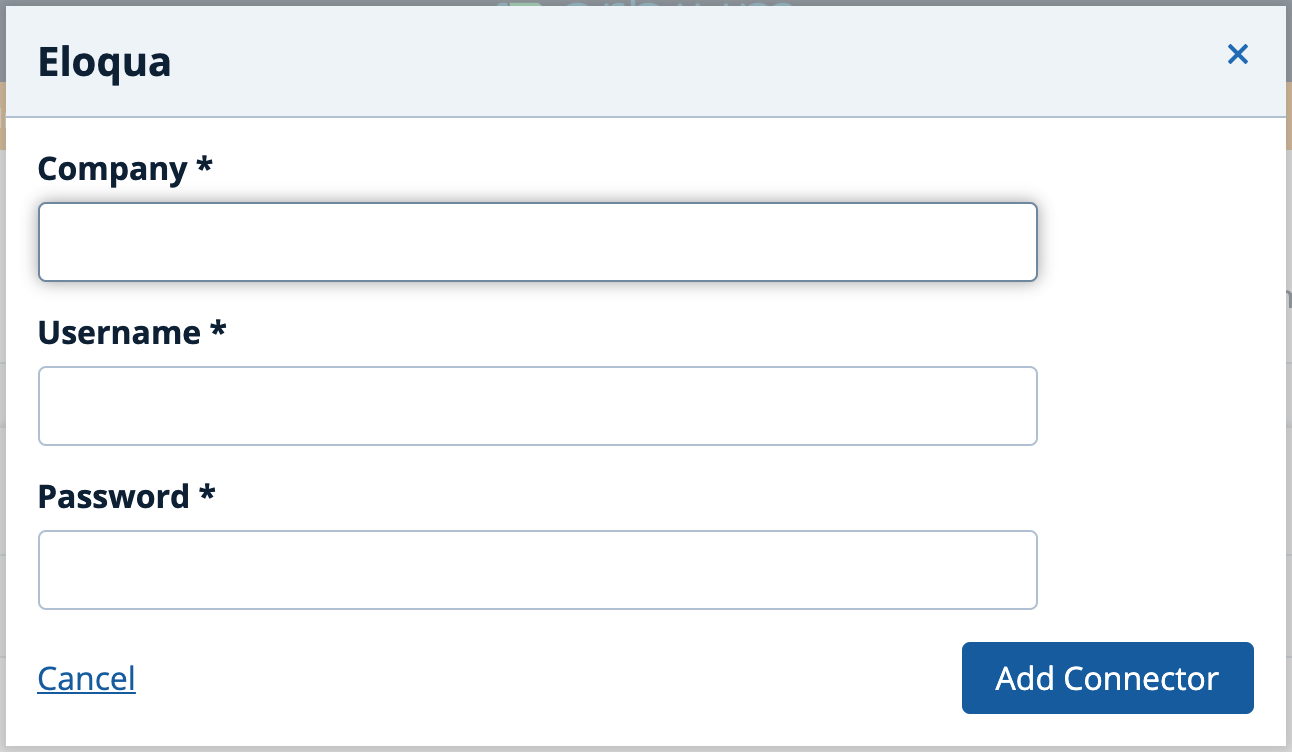
The credentials should include the following three components. It is important that you pay close attention to spelling and case sensitivity.
- Company Name
- Username
- Password
Connect Your Form to ORACLE Eloqua
Step 1: Log into the ERBIUM Platform and select the form you wish to connect to Eloqua
Step 2: In the Setup menu select Connections menu item
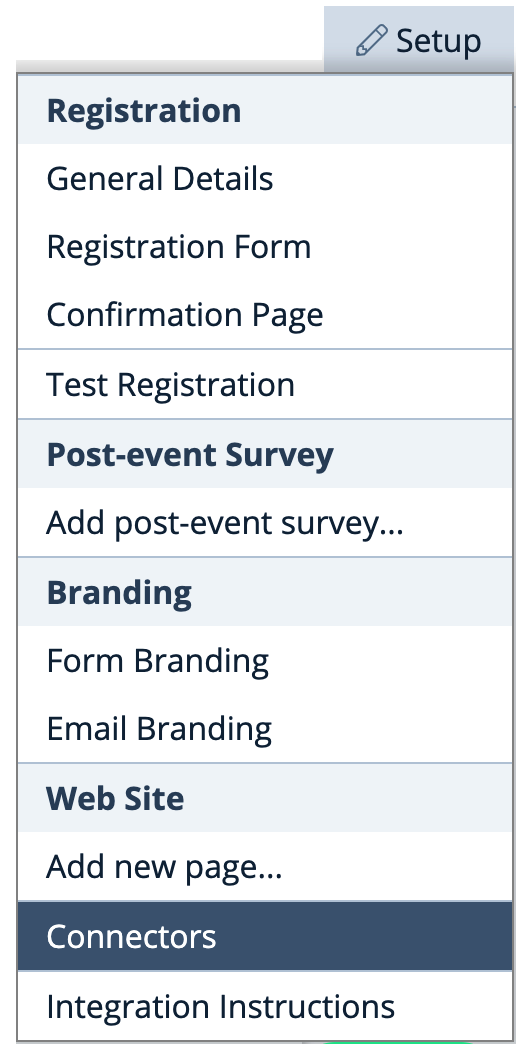
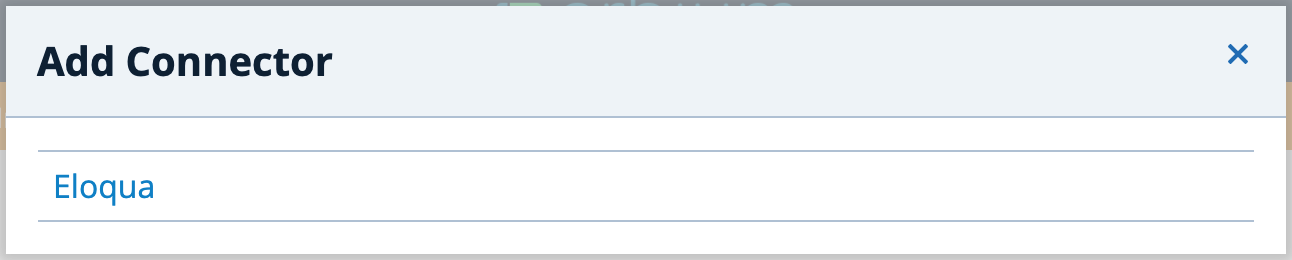
Step 3: Click 'Add Connector' and choose Eloqua

Step 4: Enter the dedicated, shared user credentials obtained from your organization's ORACLE Eloqua administrator:
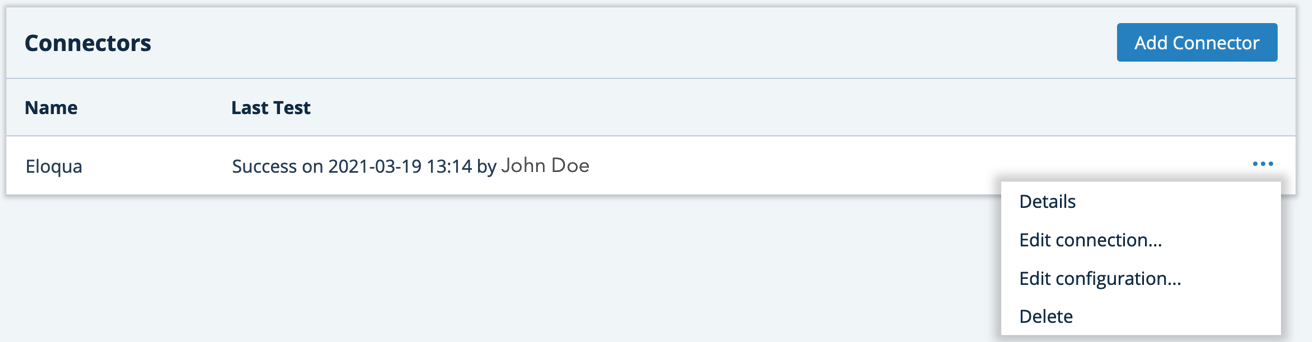
The system will verify and test the connection and, if successful, add ORACLE Eloqua to the list of connectors. This indicates the connection can no be configured to communicate to ORACLE Eloqua based upon different integration events in ERBIUM.
Configure your ORACLE Eloqua Integration Settings
Step 1: Click 'Edit Configuration' on the connection menu for the ORACLE Eloqua connector.
Step 2: Configure the desired integration options using the on/off toggles:
Contact Record Field Options
Lead Source - The lead source is a mandatory field. The ERBIUM Platform will default the lead source to the Form name. If you prefer to use a different value of your own choice, this can be changed by typing over the default.
Update 'Lead Source - Most Recent' - switch this on if you want to update the 'Lead Source - Most Recent' field whenever ERBIUM interacts with the Contact record in ORACLE Eloqua
Create new Eloqua Contact if not found - if ERBIUM cannot find a Contact in ORACLE Eloqua using the email address provided on the form it will create a new Contact in ORACLE Eloqua when this is switched on.
Update 'Lead Source - Original' for new Contacts - if ERBIUM is configured to create a new Contact in ORACLE Eloqua it will also update the 'Lead Source - Original' field when this is switched on.
Submit additional 'Guests' to Eloqua - if the ERBIUM form is used to register multiple guests beyond the 'primary' registrant (e.g. the primary registrant also registers a spouse, or colleague) all registrants will be submitted to Eloqua when this is switched on. If you only wish the primary registrant to be submitted to ORACLE Eloqua, this switch should remain off.
Submit 'Test' records to Eloqua - switch this on if you want to submit test data to ORACLE Eloqua. IMPORTANT NOTE: Deleting test data from the ERBIUM system WILL NOT DELETE TEST DATA FROM ORACLE. If unsure, please consult your ORACLE Eloqua administrator prior to switching this on.
External Activity Options
This option allows you to track engagement in a more detailed way. If enabled, ERBIUM will create an External Activity for a contact each time they undertake certain activities when interacting with an ERBIUM Form. External Activities also appear in Eloqua Profiler, giving your Sales and Marketing Sales staff easy access to this engagement data.
Since External Activities are tied to campaigns you must specify a campaign ID to be used to record External Activities.
Form Submission - An External Activity is record in ORACLE Eloqua when an ERBIUM Form is submitted.
Cancellation - An External Activity is record in ORACLE Eloqua when a registrant in ERBIUM is cancelled.
Declined Invitation - An External Activity is record in ORACLE Eloqua when an invitee declines an invitation to complete an ERBIUM Form.
Campaign ID - Since External Activities are tied to campaigns you must specify a campaign ID to be used to record External Activities.
An Important Note About Email Addresses
The ERBIUM Platform communicates with ORACLE Eloqua using email address as the key identifying field. Therefore, if you intend to communicate with ORACLE Eloqua you must include the Email Widget on your form. Do not use a custom Input widget simply labelled as an email. Using any widget other than the official 'Email Widget' to collect an email address= will not enable connection to ORACLE Eloqua.
Comments
0 comments
Article is closed for comments.